
The primary functions of the kiosk are:
-
Check-in and green fee payment for guest players
-
Redemption of green fee vouchers and punch cards
-
Payment, dispensing, and return of keys for rental products, such as buggies
-
Booking and payment for pay & play players
-
Sale of products from the compartments (balls, tees, course planners etc.)
-
Payment of 'receipt products' such as match fees or items from a refrigerator
The kiosk is highly customizable to meet each club's changing needs, and the hardware can also be configured and expanded with a varying number of compartments. The kiosk works in integration with GolfBox, the Danish tee sheet provider, retrieving and writing information such as tee times, buggy reservations, payment status, and more. Payment can be made via credit card (contactless), MobilePay, vouchers/punch cards, digitally through the player's GolfNext account, or via barcode.
The kiosk verifies players entitled to discounts, such as introduction cards, and the club can easily create its own discounts that players can select in the shopping cart based on predefined rules.
Here are some examples of different configurations of the GolfNext kiosks - tailored to the needs of the golf club. As a supplement to the kiosk, GolfNext can deliver matching GolfBox Touch screens, printer shelves, and info screens in sizes ranging from 43" to 75" (see image examples). 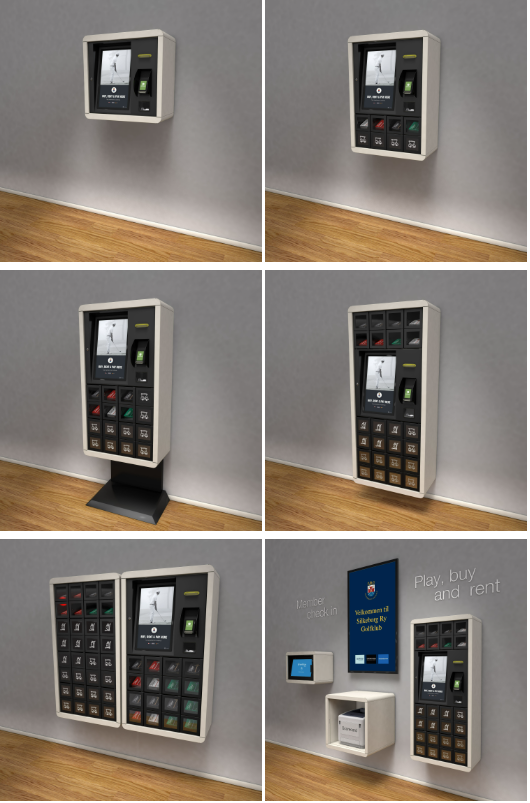
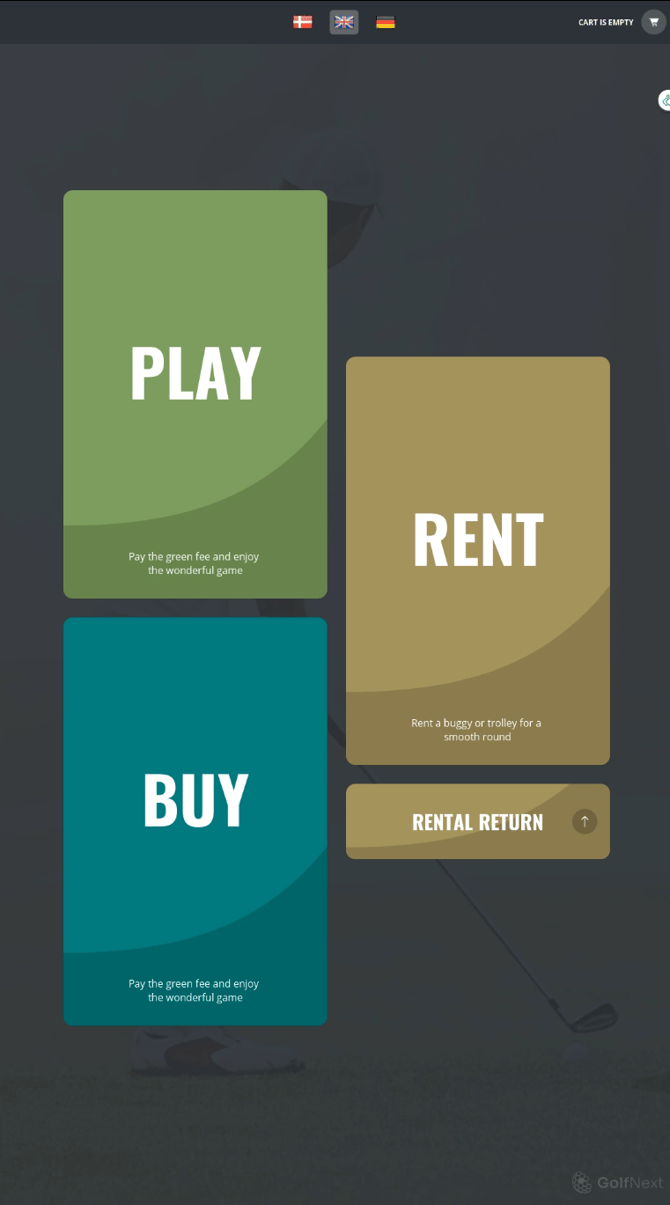
PLAY
Green fee guests are guided through tee-time confirmation/booking and can change tees, add playing partners, purchase items, and rent a buggy in a single payment. If the guest is entitled to a discount, it can be applied based on the club's specific criteria. Discounts are verified against various databases, such as DGU, GAF, PGA, and GolfAmore.
If the club has issued green fee vouchers or punch cards for items like buggy rentals, these can be scanned as payment directly at the kiosk. If the guest has received these as digital vouchers, the kiosk will automatically ask whether the guest wishes to use the valid green fee/punch card as payment.
Pay & Play
If the club has a Pay & Play course, this is also supported – even if the course is not set up in GolfBox. Pay & Play guests can thus use the self-service features directly at the kiosk.
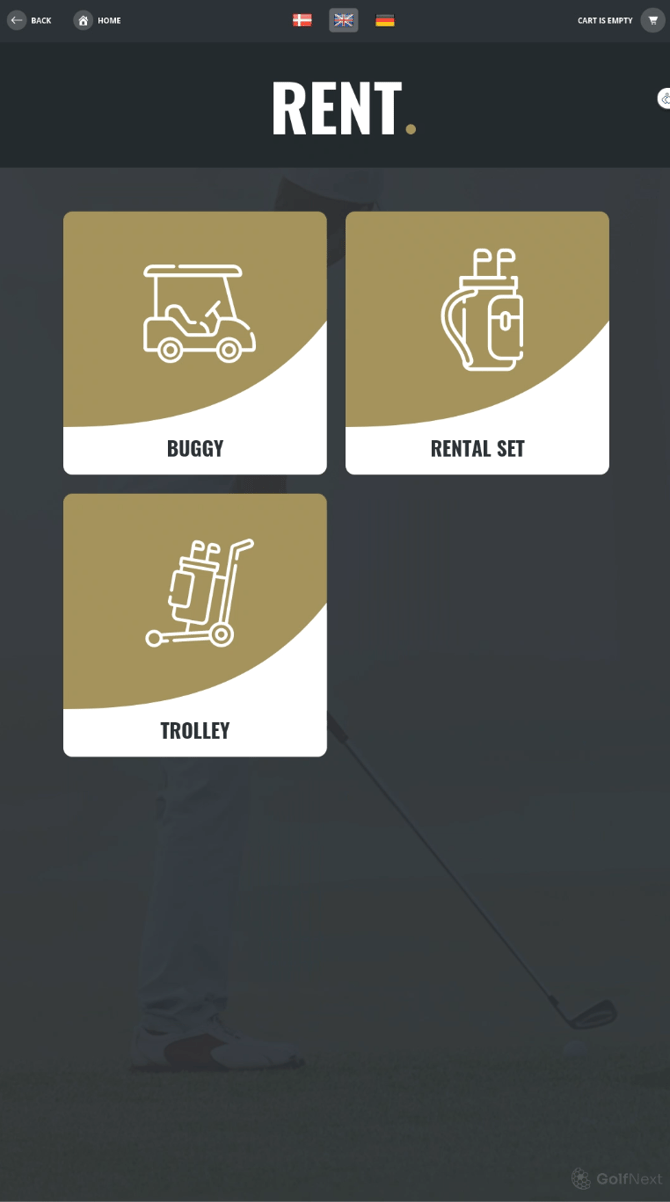
RENT
Buggies, golf scooters, golf sets, and other items requiring a key can be rented directly from the kiosk. After payment, the compartment door containing the key opens, and after use, the key is returned by scanning the attached NFC card. You can also authorise a security deposit during the rental period.
Payment can be made via credit card, MobilePay, vouchers, and punch cards. If the rental products are not locked away, products can be rented via a simple payment at the kiosk, after which a receipt is issued as proof of payment. Products can be rented at a fixed price or by the hour, with an optional start-up fee, depending on the club's specific requirements.
BUY
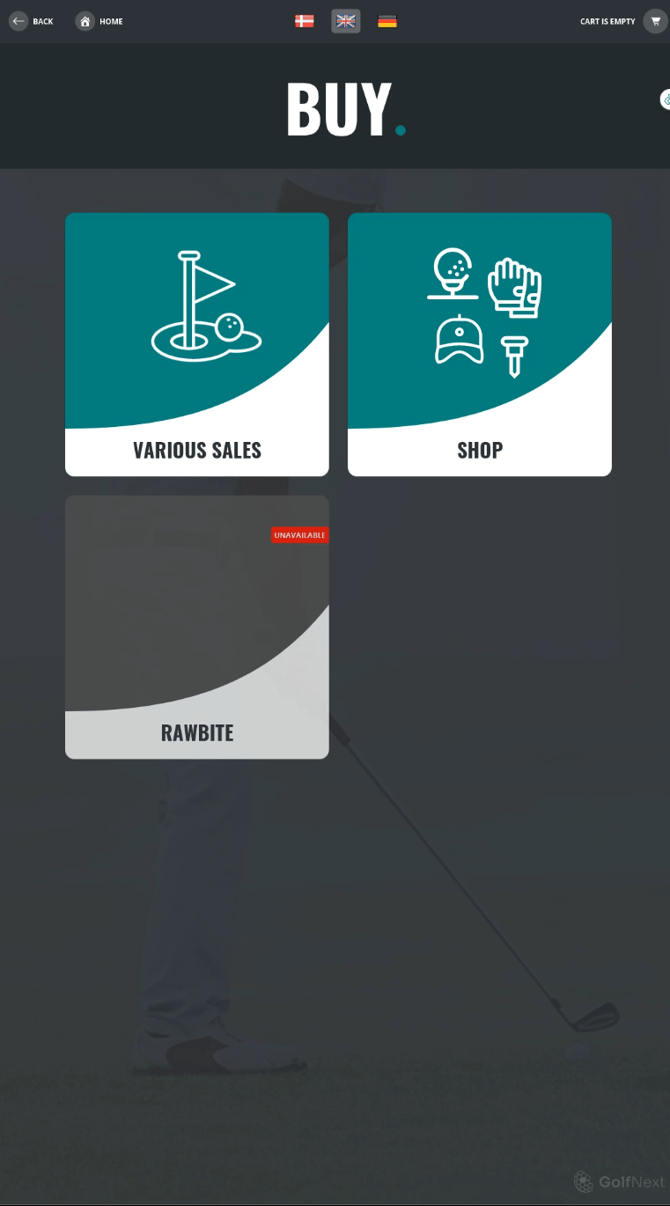
The kiosk can also help you sell physical products at times when no staff is present in the golf club (stored physically in the kiosk, such as yardage books, balls, tees, etc.) or even accept payment for 'receipt products' (e.g., from a self-service refrigerator, match fees, and similar).
Other useful features
-
The kiosk can easily print a report for the club's course marshal or volunteers via a special code.
-
The kiosk can function as a 'pigeonhole' or drop-box, where a compartment can be opened using a pre-arranged code for the return of keys, membership cards, etc.
-
The kiosk can handle products without a fixed price – for example, donations to the club, membership fee payments, etc.
-
Items requiring buyer input can be sold – such as a CPR number and name for tax-deductible donations or punch cards for the Pro.
-
Administrators can disable entire rental categories, such as buggies, from any computer without being physically present (e.g., in case of frost or heavy rain).
-
Buggy rentals can be blocked for specific courses while remaining open on others.
-
The kiosk can handle green fees and rentals for players without a Golf union number (foreign players and Pay & Play).
-
'Golfring' members can check in without physically bringing a punch card or an app.
-
It is easy to reprint receipts for customers, either directly at the kiosk or via the web administration.
Thank you for reading - feel free to contact us in case you have any questions, suggestions or general feedback