
If you have physical vouchers on paper, you can import these into the GolfNext app. Then you always have the voucher on you - and it won't get lost. Digital vouchers can be accessed both via the app or through a browser at https://golfnext.club/
Simply go to the 'account' section of the GolfNext app and tap 'Import Paper Voucher'.
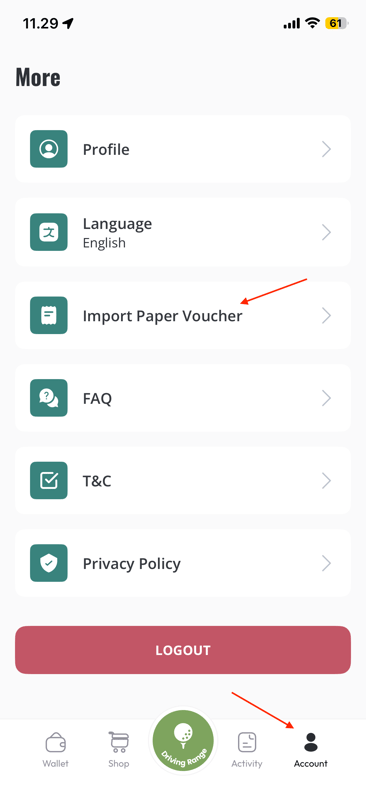
This will open up the scanner tool below. Simply scan the barcode of your physical voucher.
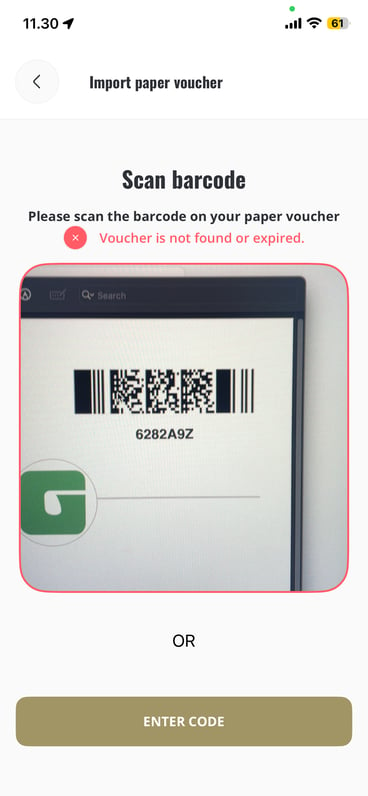
You will get one of two messages:
1. Voucher is not found or expired - The voucher is either already imported by yourself or someone else. Or it has already been redeemed at a golf club.
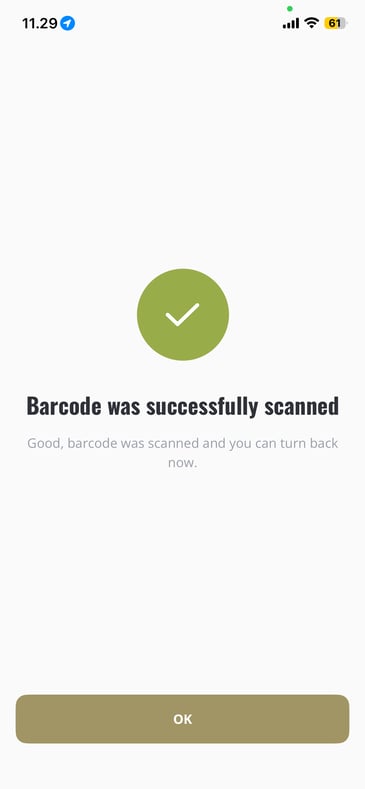
2. Barcode was succesfully scanned - The voucher is now available in your wallet and has a new barcode in order to avoid misuse of the physical version. You can now discard the physical version.
Thank you for reading - feel free to contact us in case you have any questions, suggestions or general feedback