
This guide will tell you how to dispense balls when you have a free balls product in your app. This could be the case if your golf club or driving range offers free balls for members.
For a comlete guide on how to dispense balls with the GolfNext app - please check this guide: Get started with your new GolfNext driving range account and/or app.
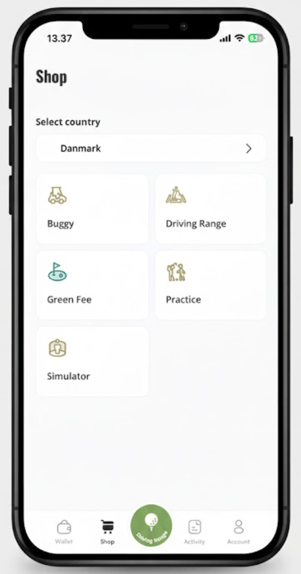
Go to dispense balls as you would normally do it using the green button in the middle of the menu in the bottom of the screen.
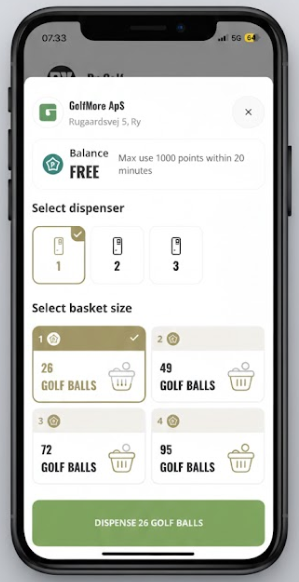
If you are close enough to the ball machine - the dispensing page will appear as below. If you have free balls in the particular golf club or driving range it wil appear as below saying 'FREE'. However, please note that the club might have set up restrictions e.g. x amount of balls every 20 miuntes.
Simply choose dispenser, bucket size and press dispense. Have fun!
Thank you for reading - feel free to contact us in case you have any questions, suggestions or general feedback