
The app always shows the club you're at, based on your phone's GPS location. That's why it's important to allow the app to access your phone's GPS data - otherwise the app won't work. If the app isn't showing the club you want, you'll find your other clubs under 'Wallet'.
-
Make sure you've downloaded the GolfNext app to your phone, and that you're logged in
- If integration with your club membership is available, log in with that (GolfBox, GIT)
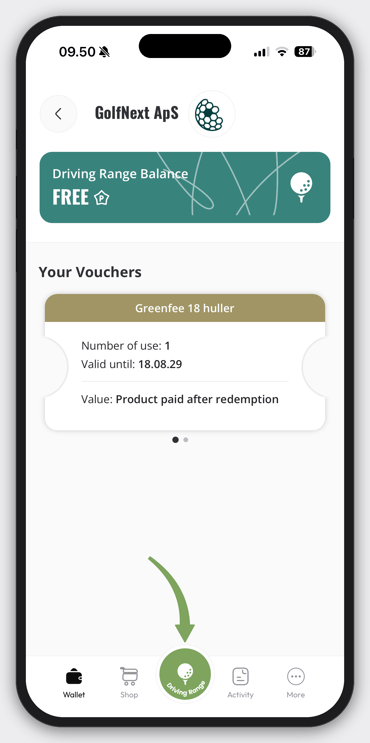
- Tap 'Driving Range ' in the middle of the bottom menu.
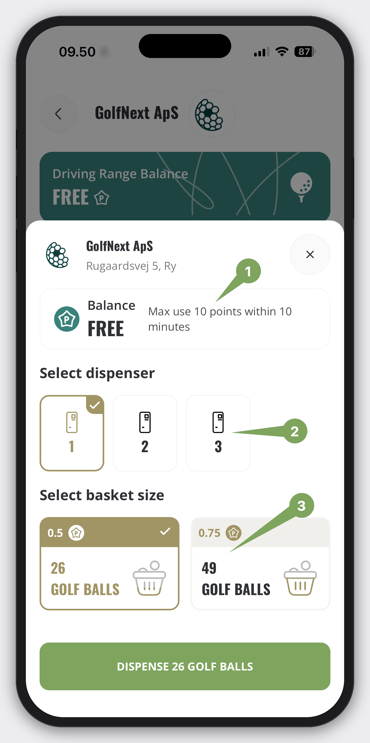
A menu will show on your screen, this can and will look different at each club.
- If the club have a limit on points used daily or within a timeperiod the rules are stated here.
- If multiple dispensers are avaible at location choose the one you are standing at.
- At the top the points used per bucket size is noted, tap the wanted bucket size
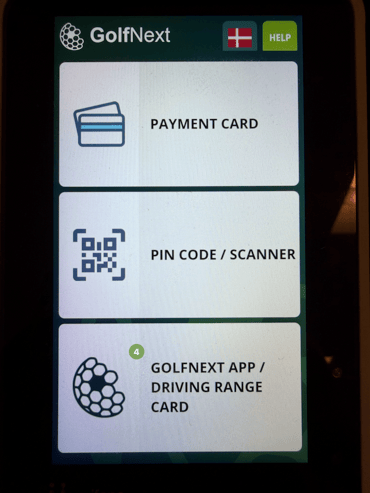
- Before tapping 'Dispense' remember to tap the 'GOLFNEXT APP / DRIVING RANGE CARD' on the payment system.
-
After you see the screen below on the payment terminal you can press dispense and get your balls
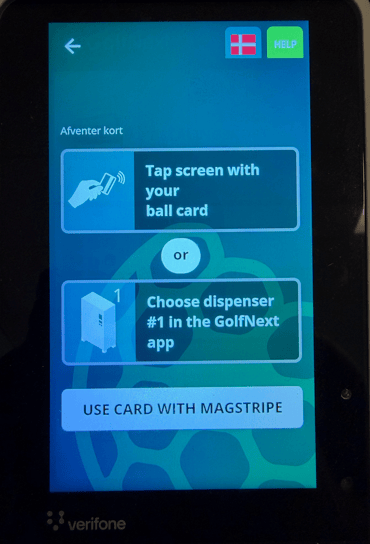
If you get the message 'Dispenser not ready' on your GolfNext app, it's either because you forgot to tap the payment terminal or you don't have enough points to dispense.