
Only a green and a blue ball run back and forth, and because of this you can't log in.
If you can't get login to work, it may be because your browser is blocking some cookies.
-
Try a different browser.
-
Delete cookies in your current browser.
Google Chrome
Start by doing the following:
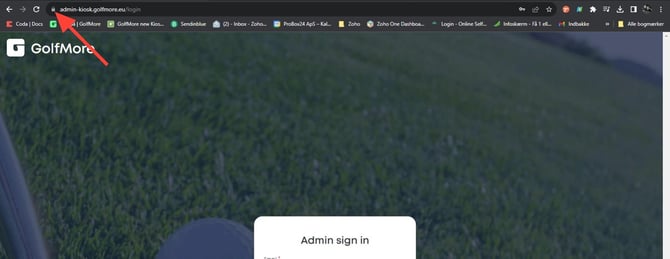
Click the padlock icon:
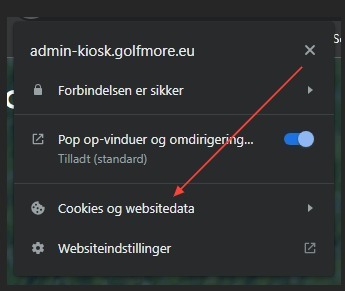
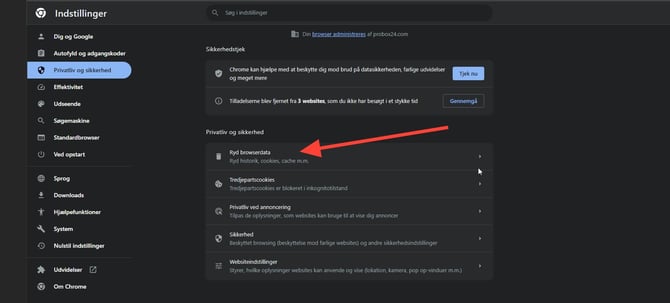
Click "Cookies and site data"
Click "Manage cookies and site data"
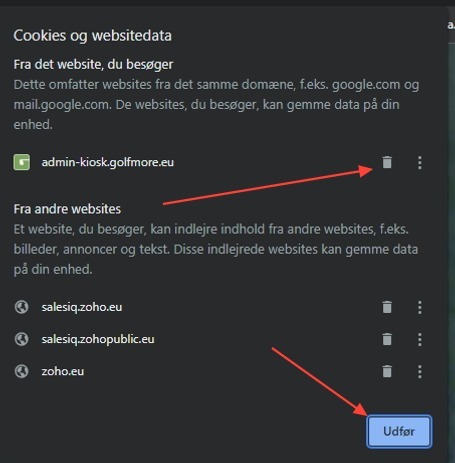
Delete all cookies and site data related to admin-kiosk.golfmore.eu
Then close the browser and start it again.
If this doesn't help, do the following:
Click the three dots in the top-right corner and select Settings

Then select Privacy and security
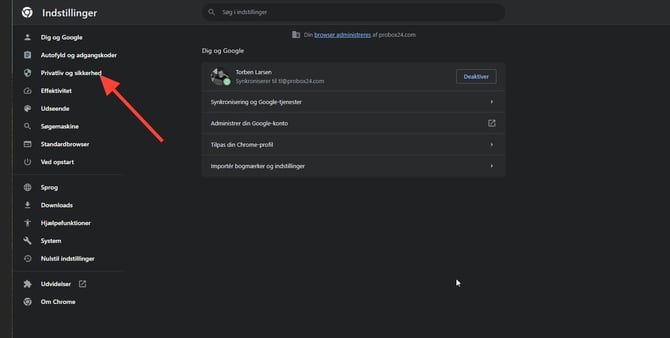
Click "Clear browsing data"
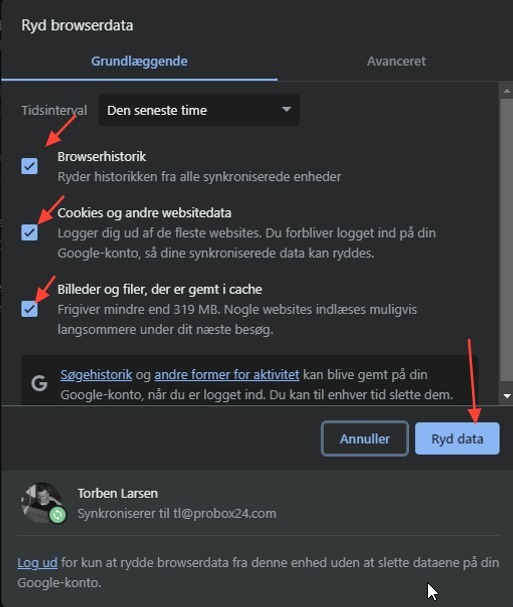
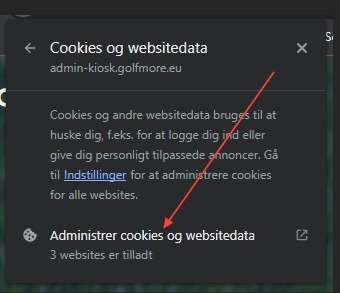
Make sure these 3 boxes are checked, then click "Clear data"
Close the browser and then go to admin-kiosk.golfnext.com
Microsoft Edge
Start by doing the following:
Click the padlock icon:

Click "Cookies"
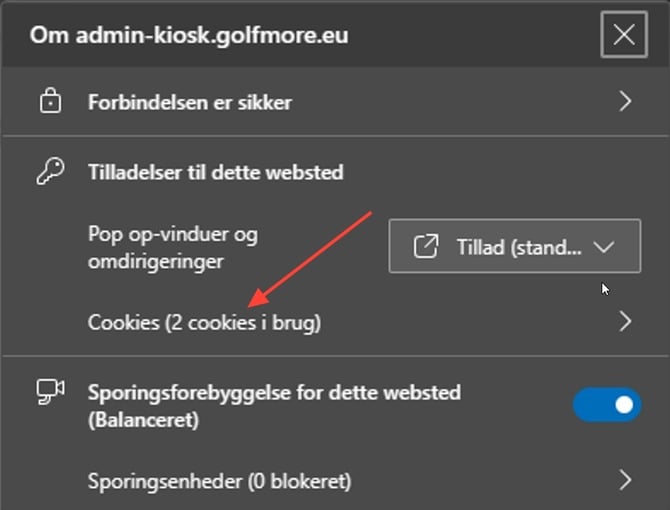
Select and remove
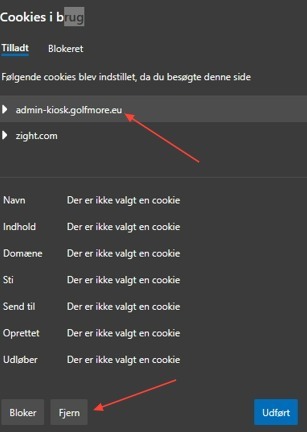
Then close Edge and try again.
If this doesn't help, do the following:
Click the three dots in the top-right corner and select Settings.

Click "Privacy, search, and services" and then "Clear browsing data"
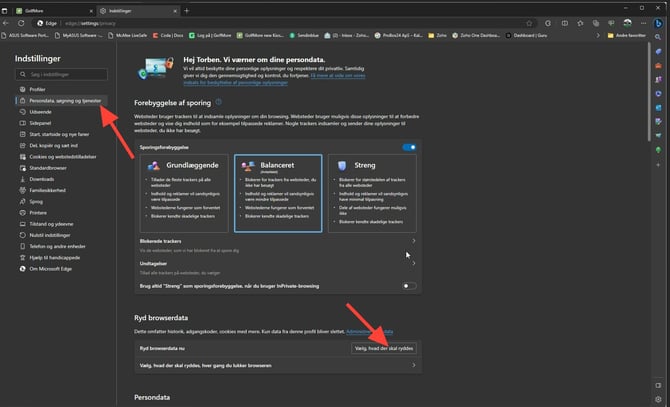
Make sure only these 4 boxes are checked, then click "Clear now"