-
Go to the settings on kiosk-admin.golfnext.com
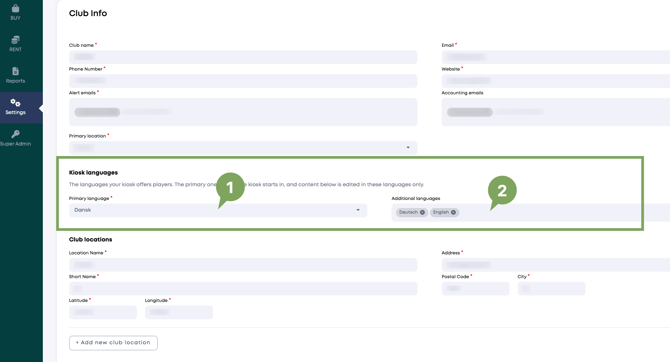
- Primary — Select your primary language here.
- Additional — Select the extra langauges that is possible to choose from. Clicking the bar lets you choose which ones.
Remember to press 'Save' at the bottom after making a change.