
-
Open your GolfNext App
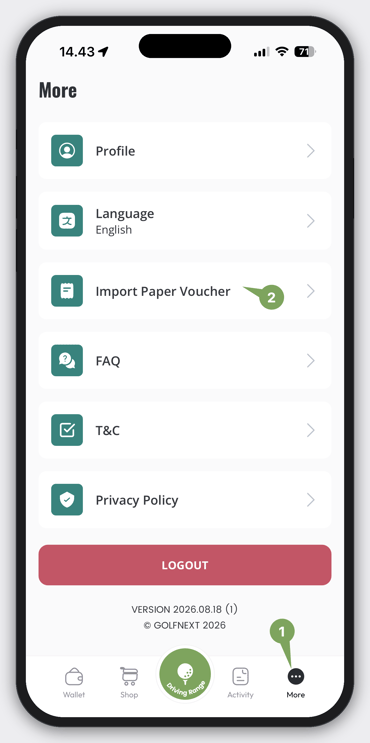
- Tap on 'More' in the App
- Tap 'Import Paper Voucher'
WARNING:
If you see a white screen instead of the screen below, the app is missing permission to use the camera. Go to your system settings and enable the camera for the app.
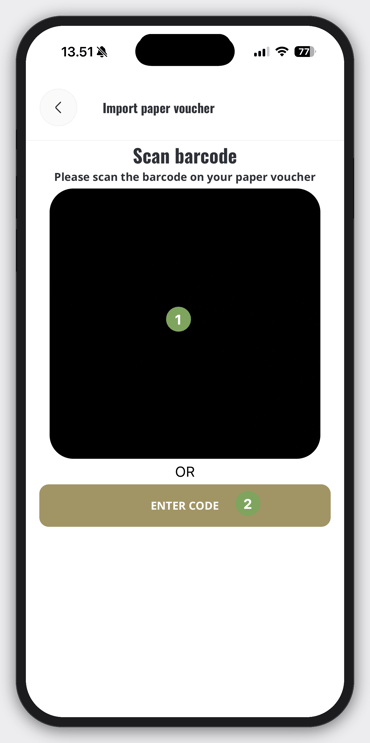
- Camera to scan a paper voucher code
- Option to manually scan
Note: When you import a paper voucher into the app, your paper copy becomes inactive and can no longer be used. You're not copying the voucher - you're moving it from paper to digital, and a new voucher code is created.