
The email on your account is the address you log in with. It is also where we send your password reset link, so it helps to know which one it is.
If you are logged in, you can see your email in the app in a few taps.
Find Your Email In The App
- Open the GolfNext app.
- Tap More at the bottom of your screen.
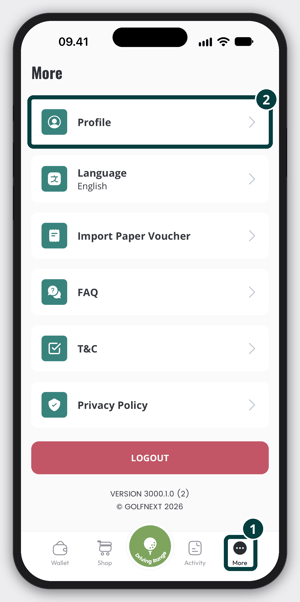
- Tap Profile. The Profile Settings screen opens.
- Your email is shown in the Email field.
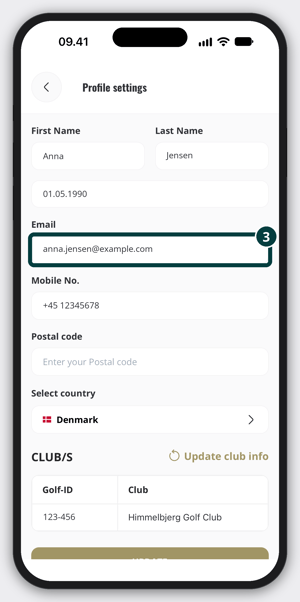
You only need to read it. You don't have to tap Update. If you do change the email and tap Update, your email doesn't change right away: we send a code to the new address, and the change only takes effect once you verify it.
Thank you for reading - feel free to contact us in case you have any questions, suggestions or general feedback.